Play careers and races
Explore URA, Unity Cup, Trackblazer and Grand Concert. Build your collection, take on Team Trials, and race together in private Room Matches.
 Umamusume 2
Apply for access
UNOFFICIAL PRIVATE SERVER · GLOBAL EDITION
An unofficial server for the Global Steam version of Umamusume: Pretty Derby. Play careers and race with other invited players, with extra tools to edit your trainer, set up custom races and record videos.
Free community project. Access by invitation.
Umamusume 2 is an unofficial private server for recording, streaming, challenges and experimenting with Umamusume: Pretty Derby. It runs a separate game environment with its own accounts, progression and race simulation. Gameplay and dashboard edits here do not modify your official account, saves or official server data.
Nothing created or earned here can be transferred to the official servers. That includes cards, currencies, items, veterans, legacies, career progress and rewards. This project cannot grant resources or unlocks in the official game.
Tools for creators. Configure your private collection and resources, edit career stats, aptitudes and support bonds, and change luck or challenge rules. Build veterans and legacies with custom stats, skills and factors; set up races with alternate outfits, custom opponents and larger fields; save career checkpoints; or let Twitch viewers trigger effects. Available controls depend on your host’s permissions and the systems supported by the server.
Imports are separate copies. Importing a veteran or legacy uses the data supplied by the source to create a copy on this private server. It does not change the original or write anything back to the official game. Some sources provide only inheritance summaries, so missing details may need defaults and the imported copy may differ from the original.
Mechanics are still being developed. Race, training and event systems are independently recreated and can differ from the official game. Custom settings and experimental features, including oversized races, can also change results. Use them for experiments and content creation; their results are not proof of how the official game behaves.
This is a community project, not an official game service. It is not affiliated with or endorsed by Cygames.
FEATURES
Editing and streaming tools are available when enabled by your host.
Explore URA, Unity Cup, Trackblazer and Grand Concert. Build your collection, take on Team Trials, and race together in private Room Matches.
Change career stats, skills, mood and support bonds. Create custom cards and inheritance parents. Save a career at a chosen point so you can return to it later.
Choose the runners, course, stats and skills for a race. Compare characters under the same conditions, or change career luck settings to control future outcomes.
Let viewers trigger game effects through Twitch chat commands or Channel Points. Show pending and active effects on your stream using an OBS overlay.
CREATOR SHOWCASE
Career challenges, live collaborations, audience effects and race analysis. Select a screenshot to see it in full.
01 / CAREER CHALLENGES
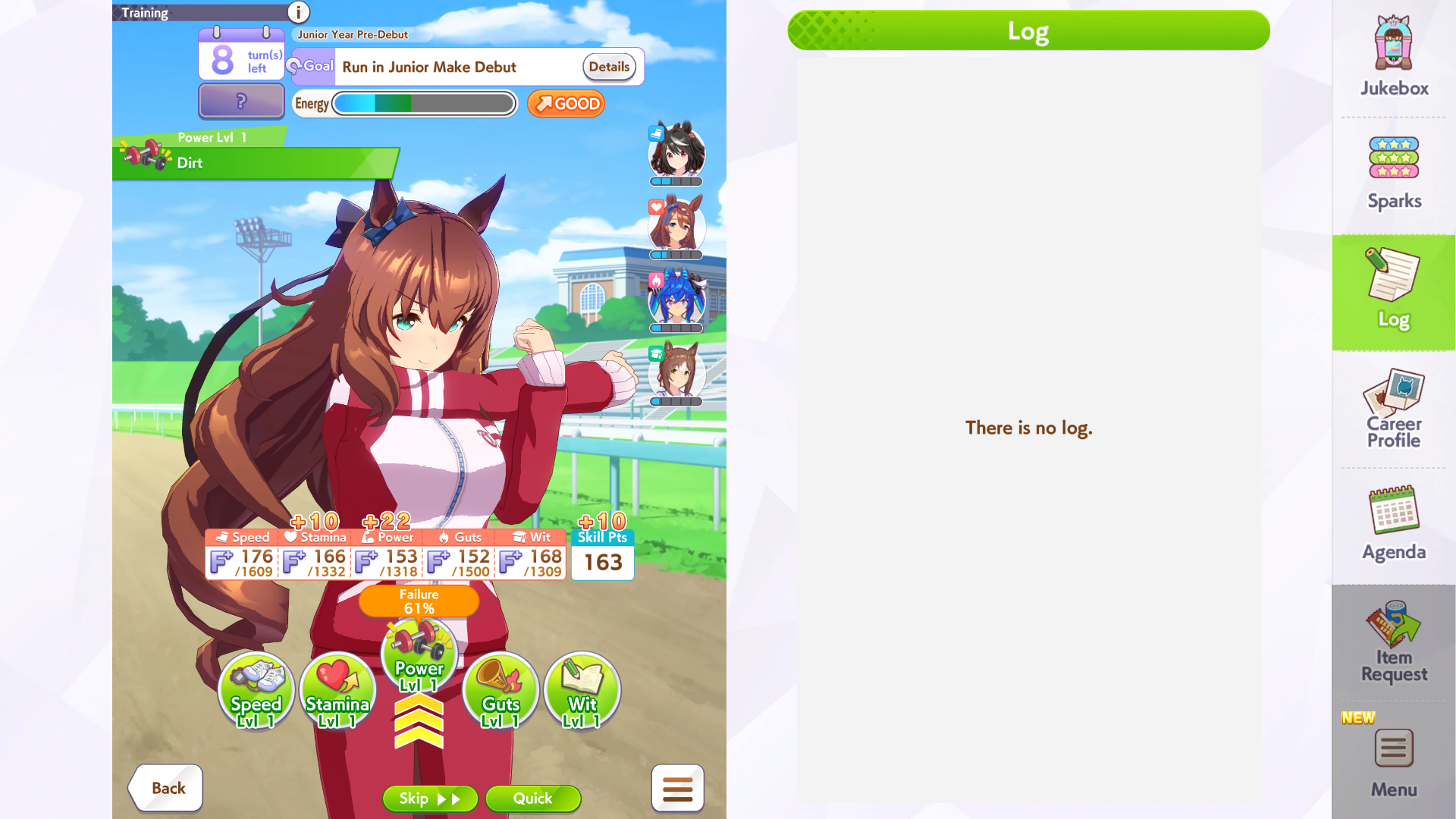
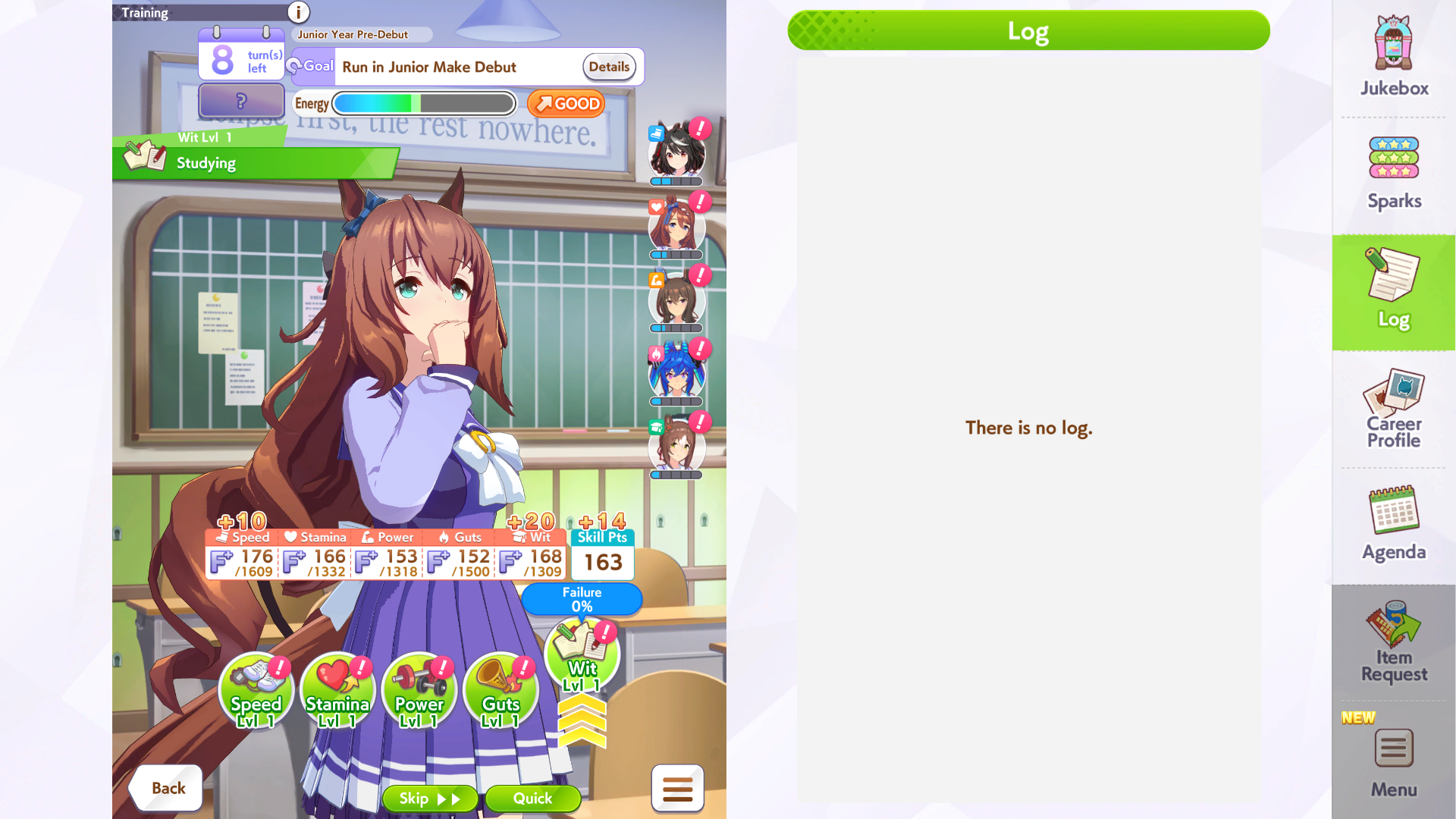
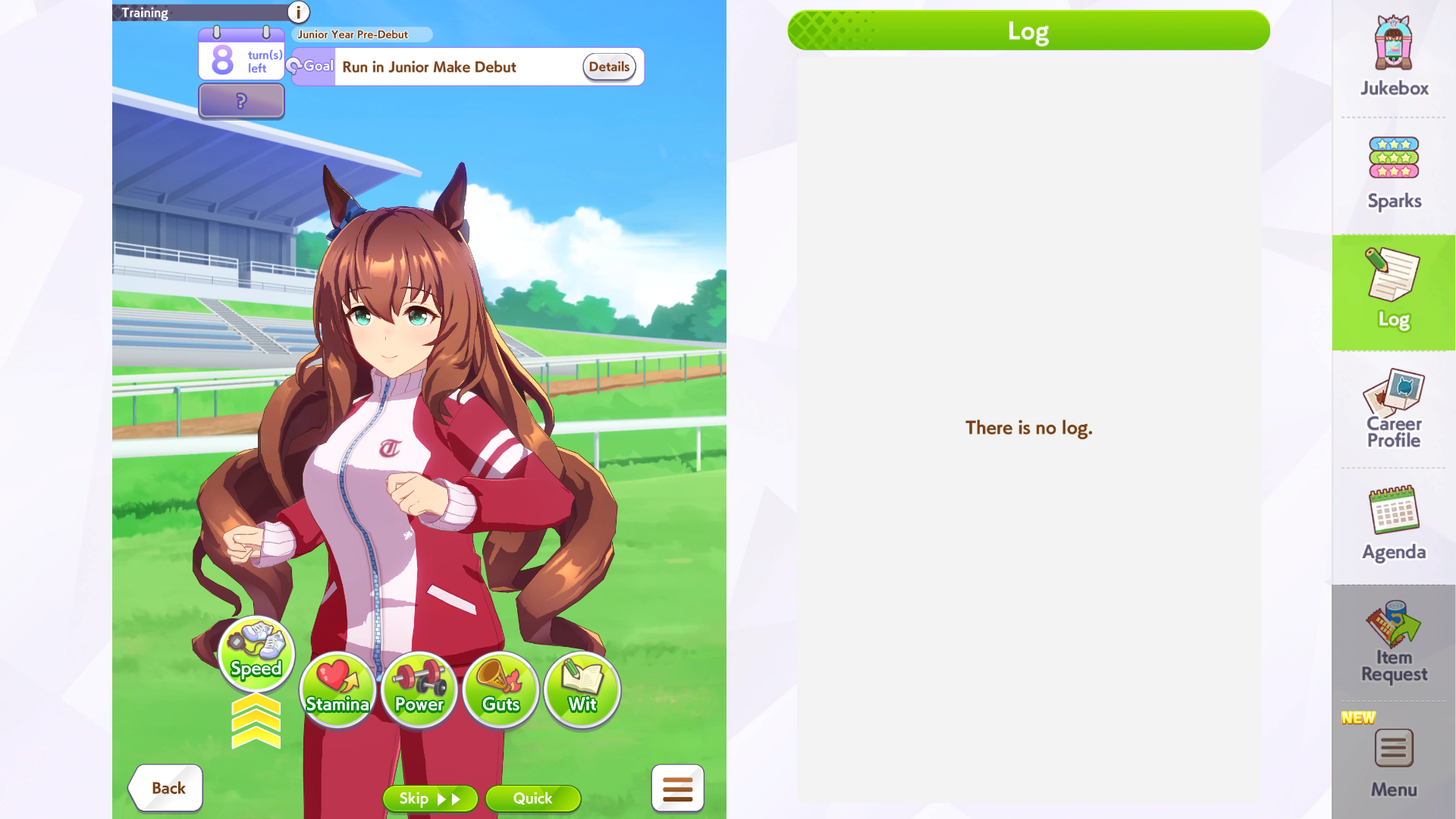
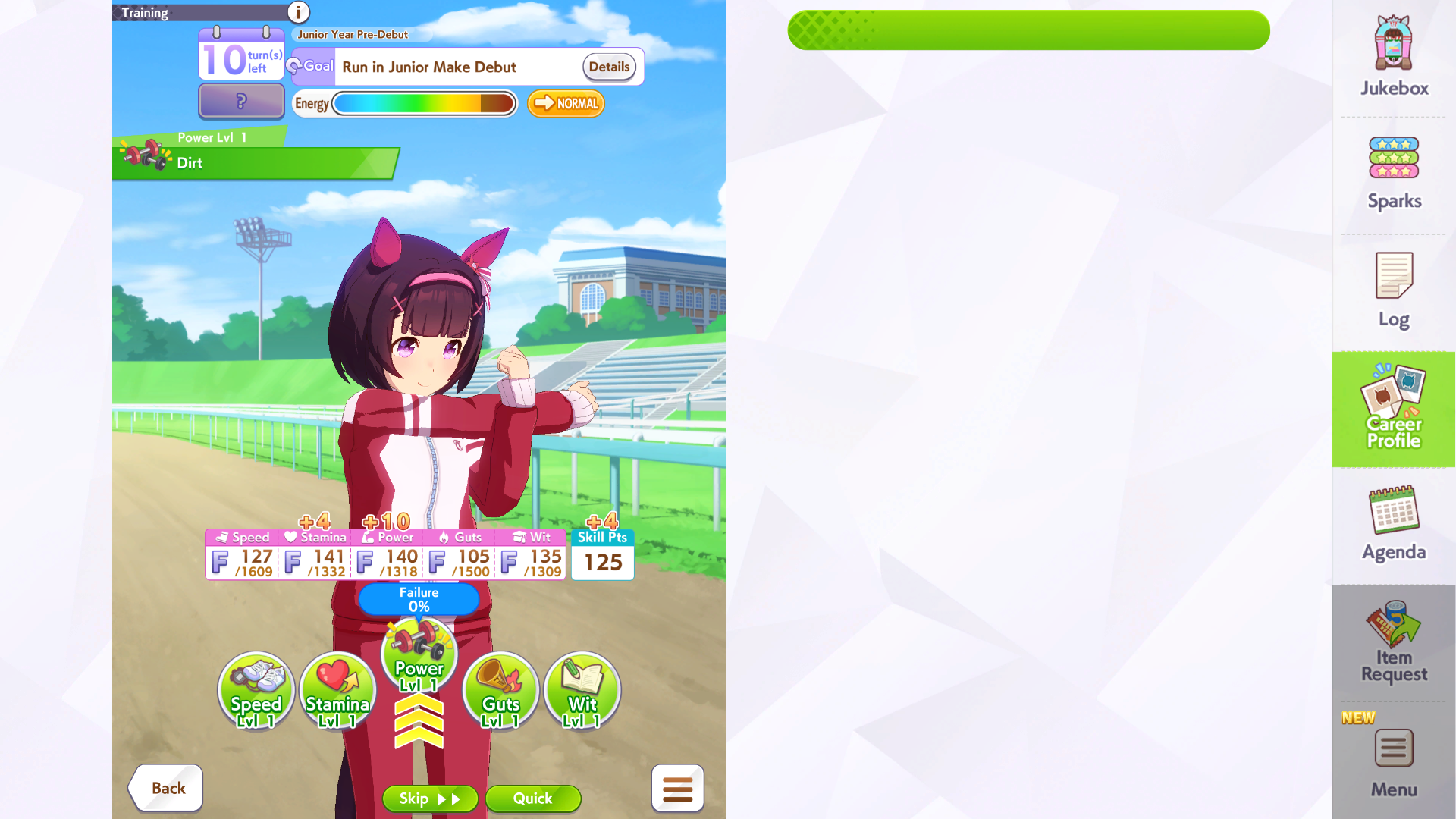
Change luck and training rules, hide career information, or remove the support deck entirely. These are four examples captured in game.
02 / CREATOR COLLABORATIONS
Bingo and Shared Energy link creators’ careers in real time. Once the lobby is set up, supported progress updates come directly from gameplay—there is no need to keep updating a dashboard.
Build a board up to 5 × 5. Race wins, training and other supported game events automatically check objectives. Choose whether the first completion locks a square or awards a bonus while leaving it open to others.
Custom manual objectives are also available when a challenge cannot be detected by the server.
Everyone draws from one energy bar. Training spends it; recovery restores it for the group. The game’s energy bar and training failure preview update live without leaving and reopening the screen.
03 / TWITCH INTEGRATION
The host or creator configures Channel Point rewards and connects them to supported game effects. Viewers redeem those rewards on Twitch to influence the career in real time.
Connect Twitch and decide which career actions viewers can trigger.
Set reward names and point costs, then link each reward to its game action.
The integration receives the redemption and applies or queues its effect as gameplay allows. You do not need to manually enter each redeem.
An optional OBS overlay shows pending and active effects so viewers can follow what they have changed.
04 / LARGE RACE LOBBIES
Create experimental race lobbies with up to 120 runners, including alternate outfits and custom builds. Prepare the game through the connector, then watch the full field race together.
05 / RACE LAB
Build a nine-runner lobby and simulate the whole pack together. Compare stats, skills and strategies under the same course conditions, then inspect skill timing, speed, HP and lane movement across sampled races.
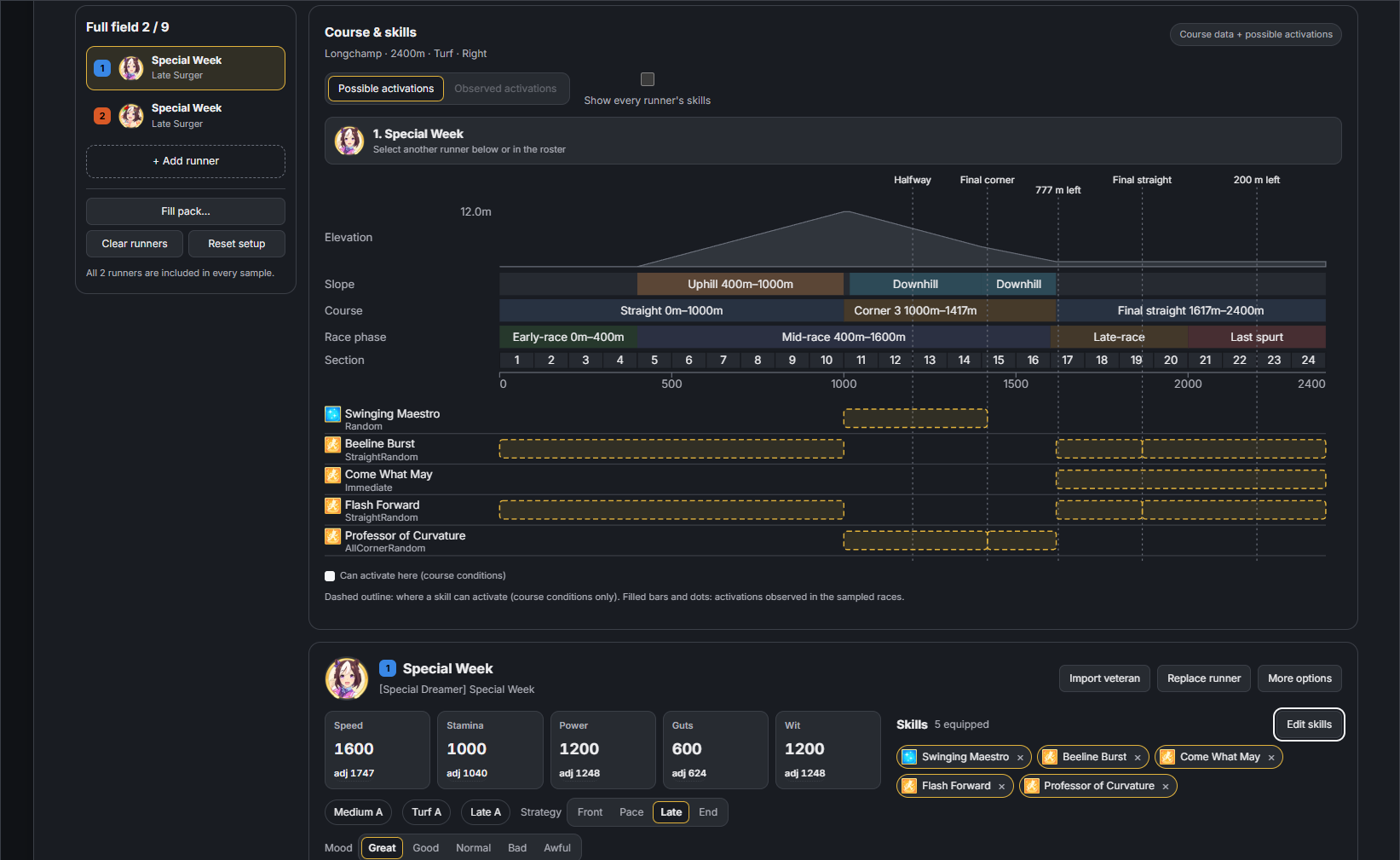
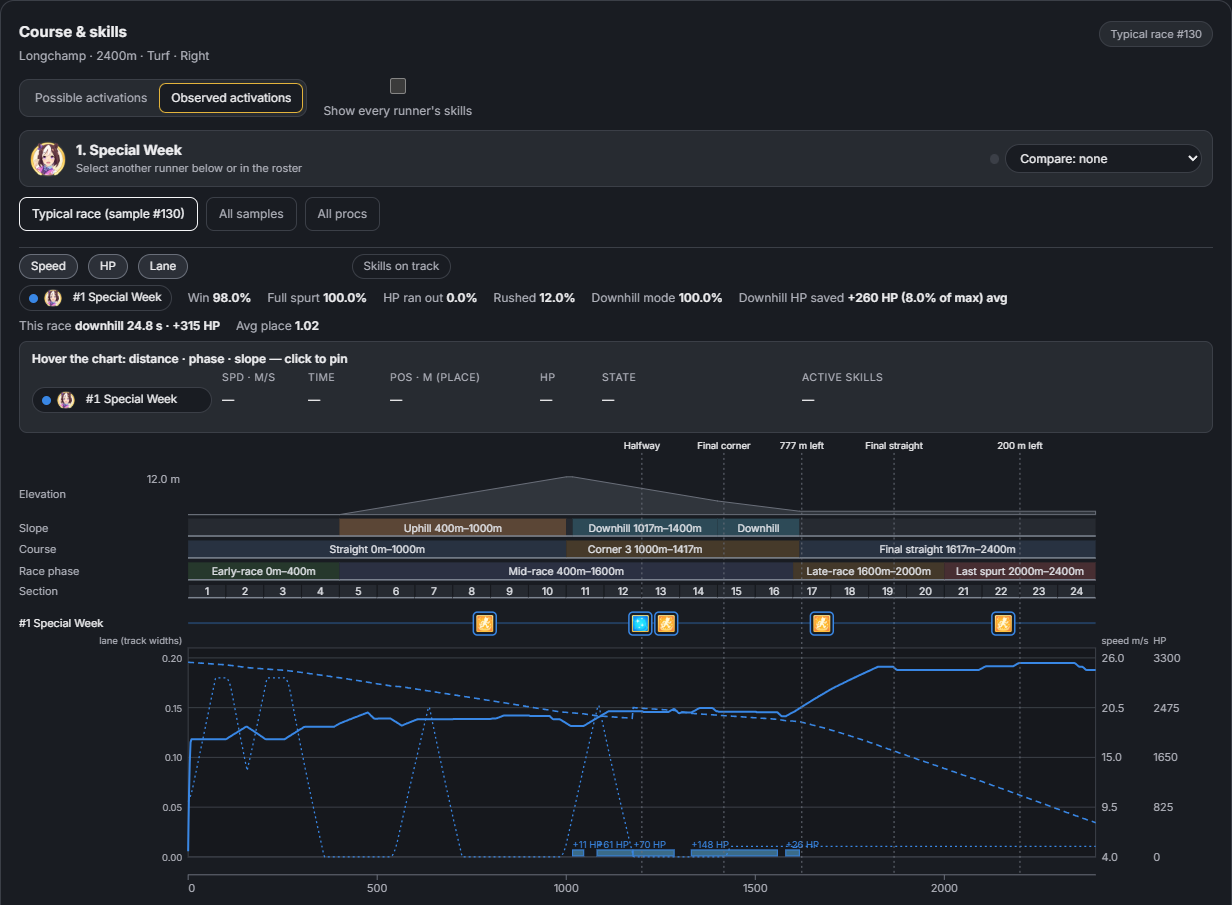
These screenshots show a two-runner example; full nine-Uma fields are supported.
ACCESS
You need the Global Steam game installed on Windows and an invitation to this server.
Fill in the application form. You will need a personal invitation before you can connect. Invitations are tied to your trainer ID and can expire or be revoked.
Use the Windows connector with the Global Steam game installed. Import your invitation and follow its connection steps.
Guests use My dashboard in the connector and keep it open. Account editing and Twitch are separate permissions granted by your host.
Already have access? Download and setup instructions are shared directly with invited creators.
LIMITATIONS
The server is still in development. Bugs remain, and some race and training calculations differ from the official game. Results here should not be treated as proof of how the official game works.
Available characters, stories and concerts depend on the game data installed on your PC. Save your career before making changes, finish active races or events before editing, and follow the dashboard’s instructions to refresh the game.